

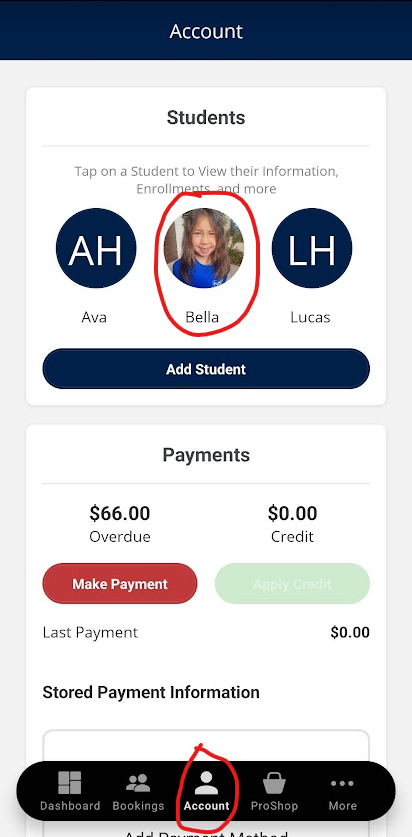
Step 1: Press Account
Press account then select a child you would like to create a future absence for.
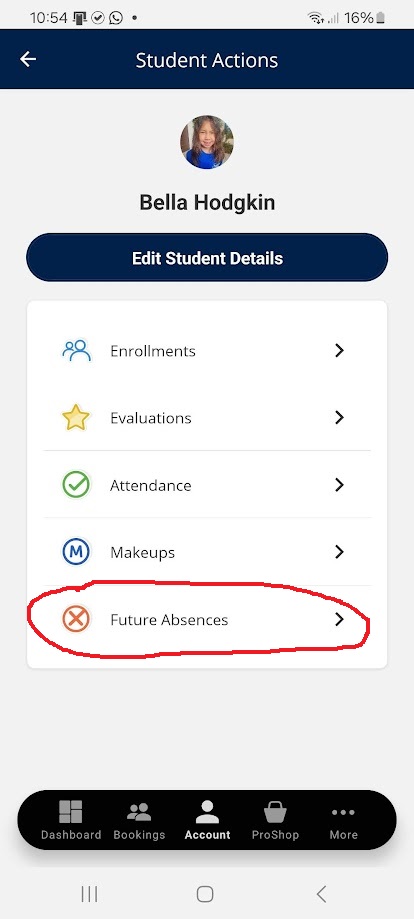
Step 2: Click Future Absences
Click on future absences.
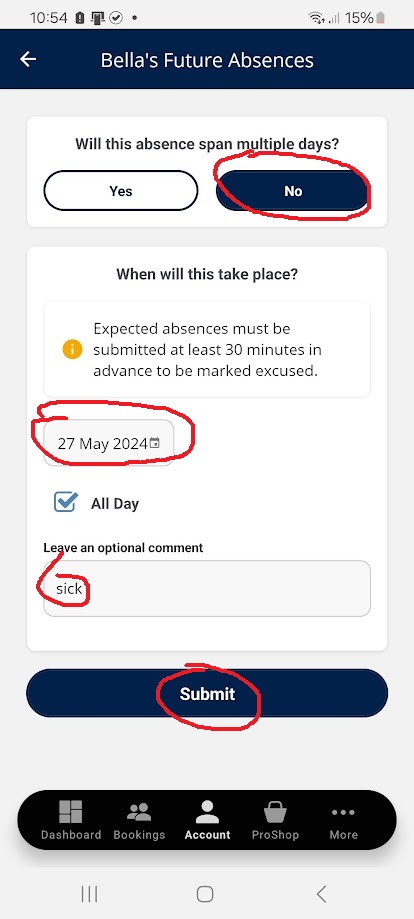
Step 3: Enter Absence Details
Select no for multiple days. It's better to do one date at a time. Select the date using the date picker. Leave a comment of why you cant attend and press submit.
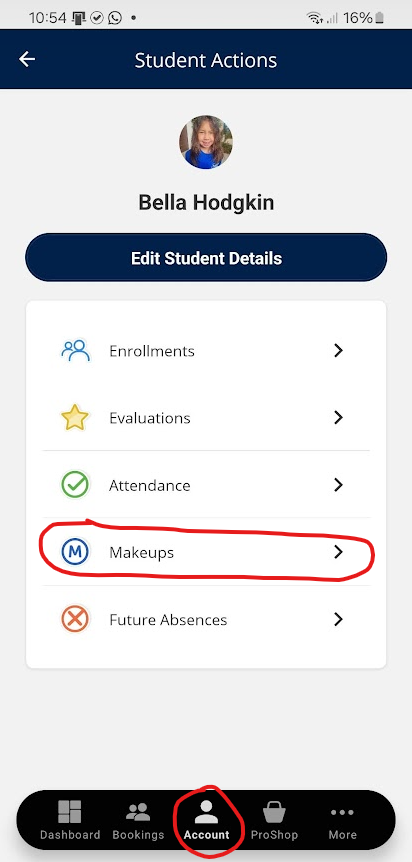
Step 1: Click Makeups
Make sure you are in account, and have selected a student. Then click makeups.
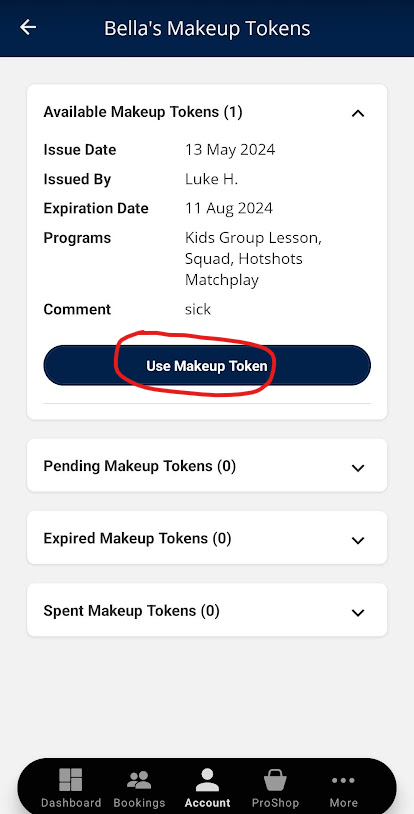
Step 2: Click Use Makeup Token
Click on "use makeup token"
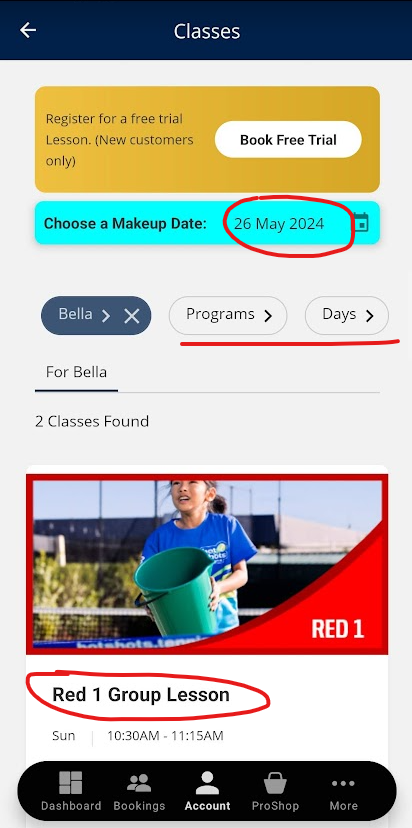
Step 3: Select Makeup Date
Use the date picker to select the date you want to do a makeup. You can also filter by your preferred coach and select a class.
*If you are not seeing any classes please select a different date. If you still cant see any classes please contact us as there may be an age limit on the classes.
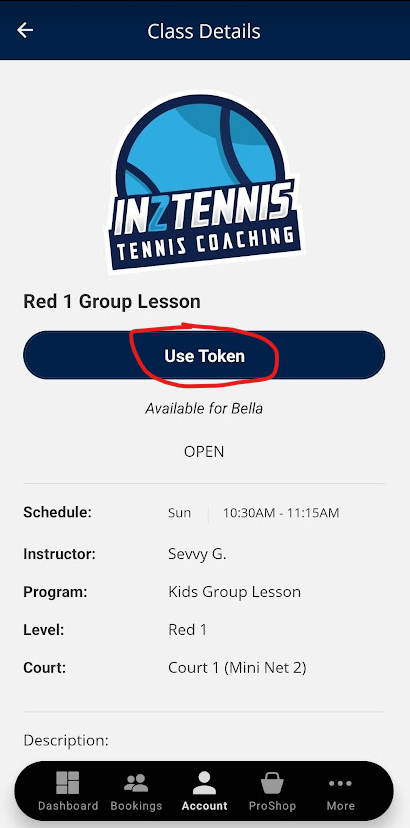
Step 4: Press " Use Token"
You can view more information about the class such as the coaches name and time of the class. There is also detailed information about what we work on in each level. Press use token and your makeup is lesson is booked.
One Response
Hi, this is a comment.
To get started with moderating, editing, and deleting comments, please visit the Comments screen in the dashboard.
Commenter avatars come from Gravatar.