

Programs
Adult doubles UTR matchplay
How to register
Getting set up for UTR matches
- 1
Create a Tennis Australia account
Go to matchcentre.tennis.com.au and click Register Here. Fill in your name, username, date of birth and other details. This gives you a unique Tennis ID, essential for tracking your matches.
- 2
Activate your UTR rating
When you log in, take note of your Tennis ID. Activate your UTR rating so your scores can be uploaded after each match.
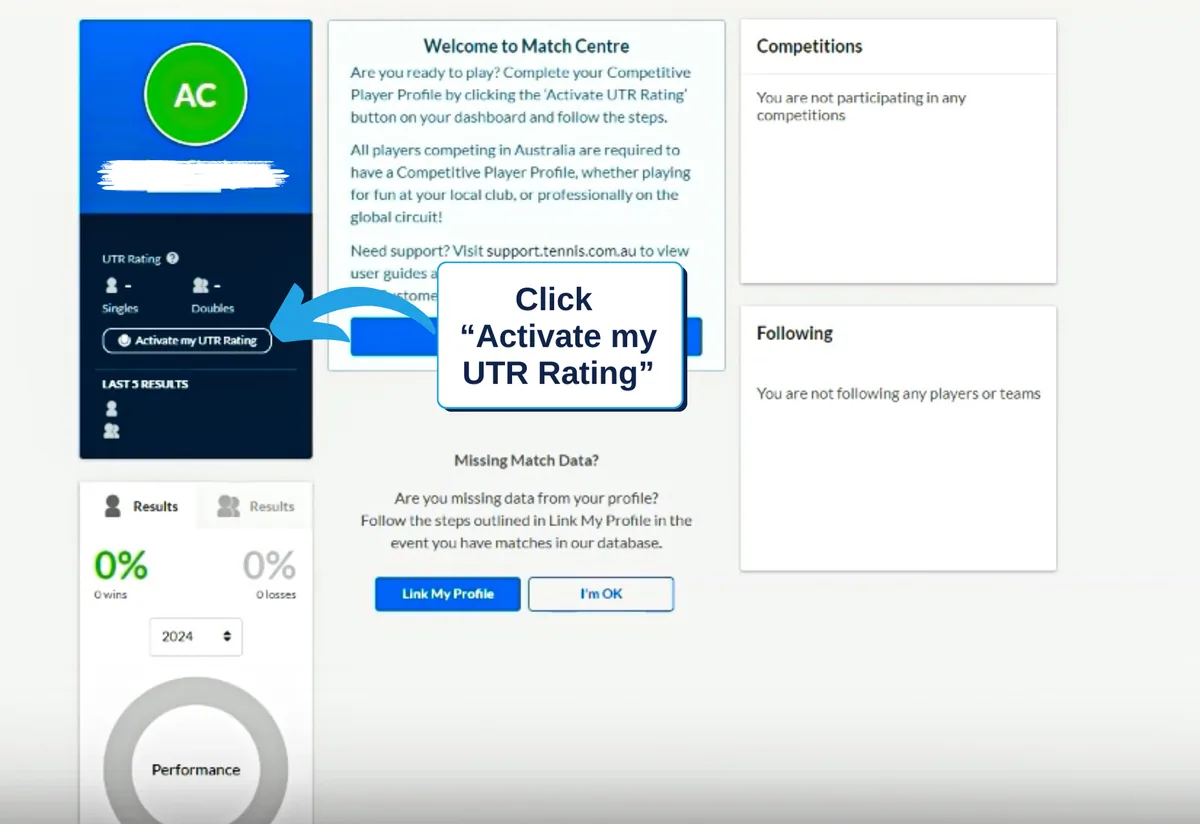
- 3
Create a UTR Sports account
After clicking Activate My UTR you'll be prompted to create a UTR Sports account. Go ahead and click it.
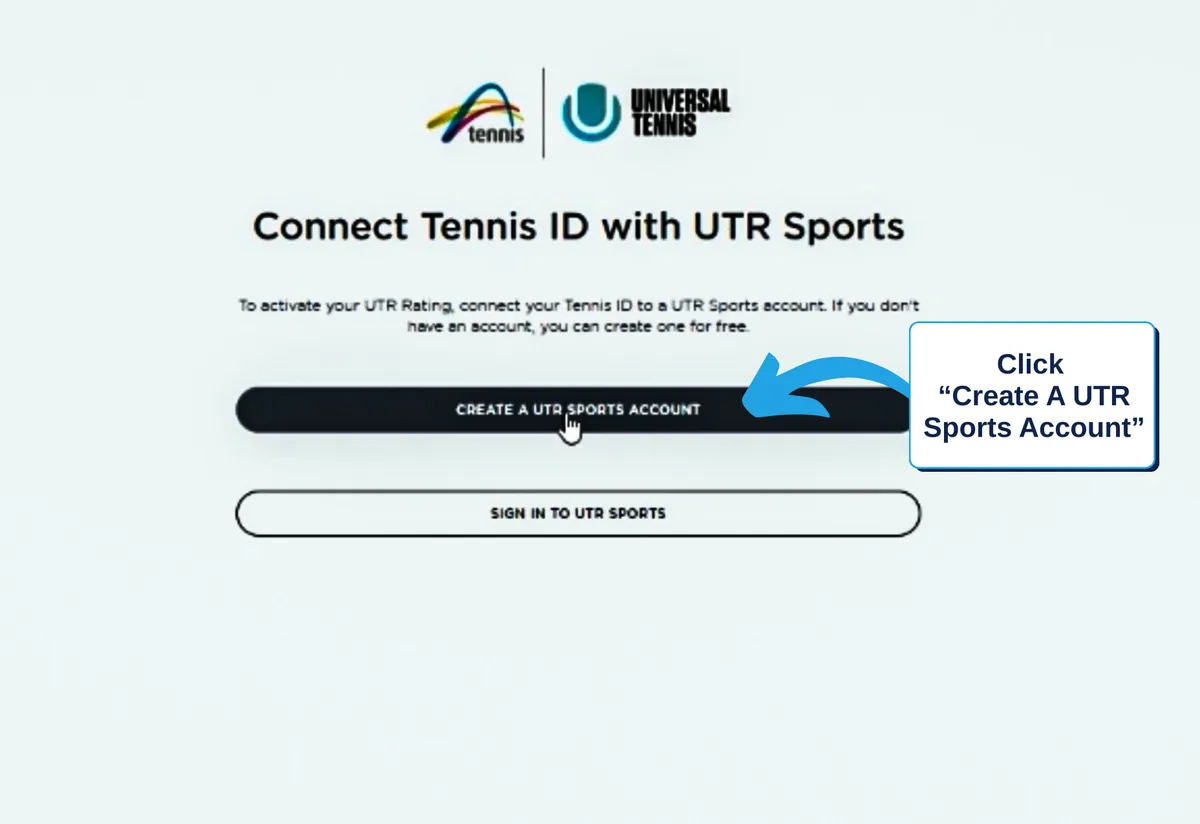
- 4
Acknowledge the pop-up
A message will appear. Simply click Got It to proceed.
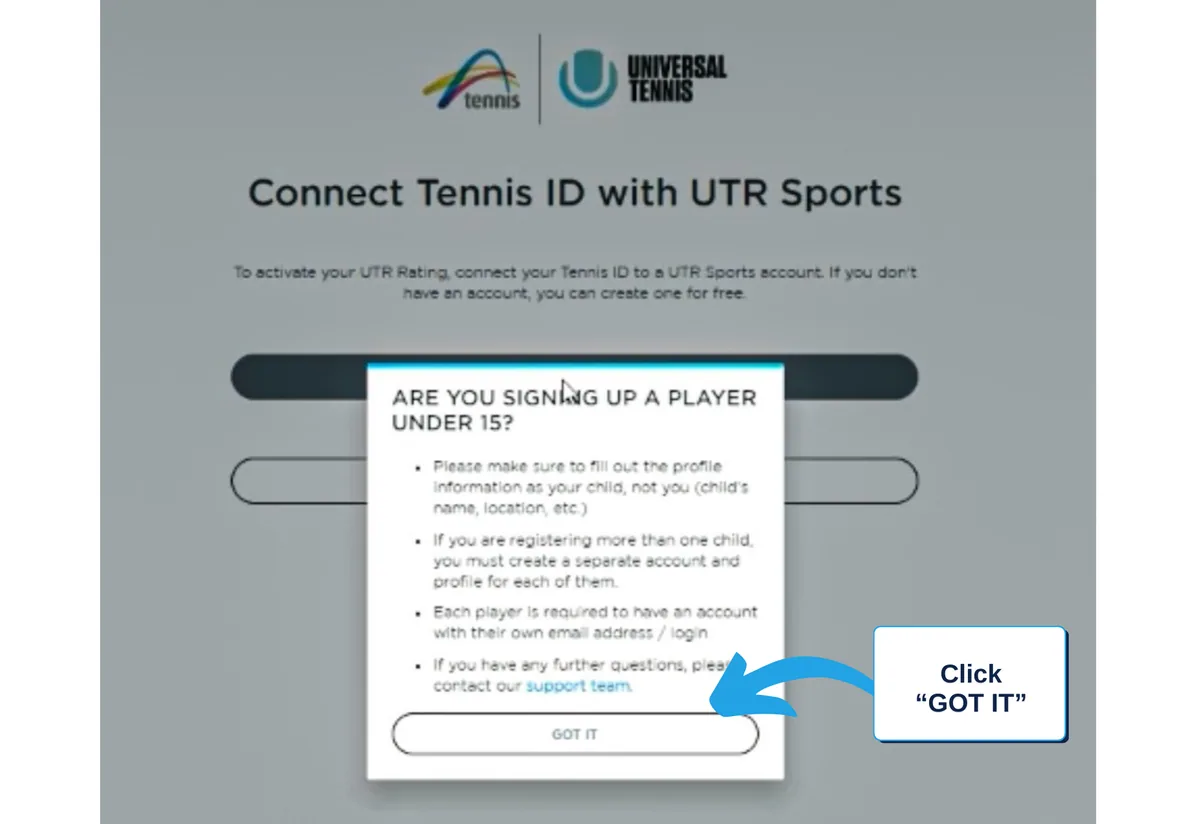
- 5
Fill out your details
Enter your Tennis ID, name and phone number, tick the box to agree to the terms, then click Continue.
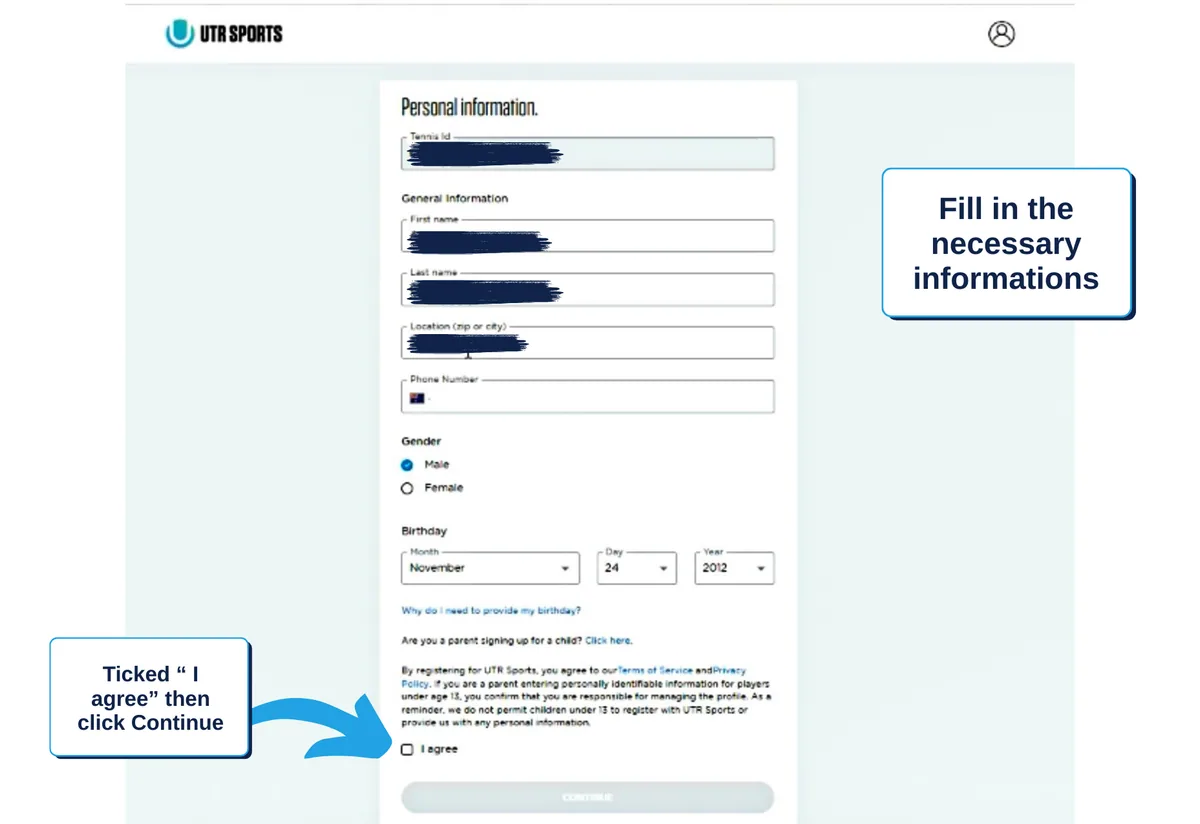
- 6
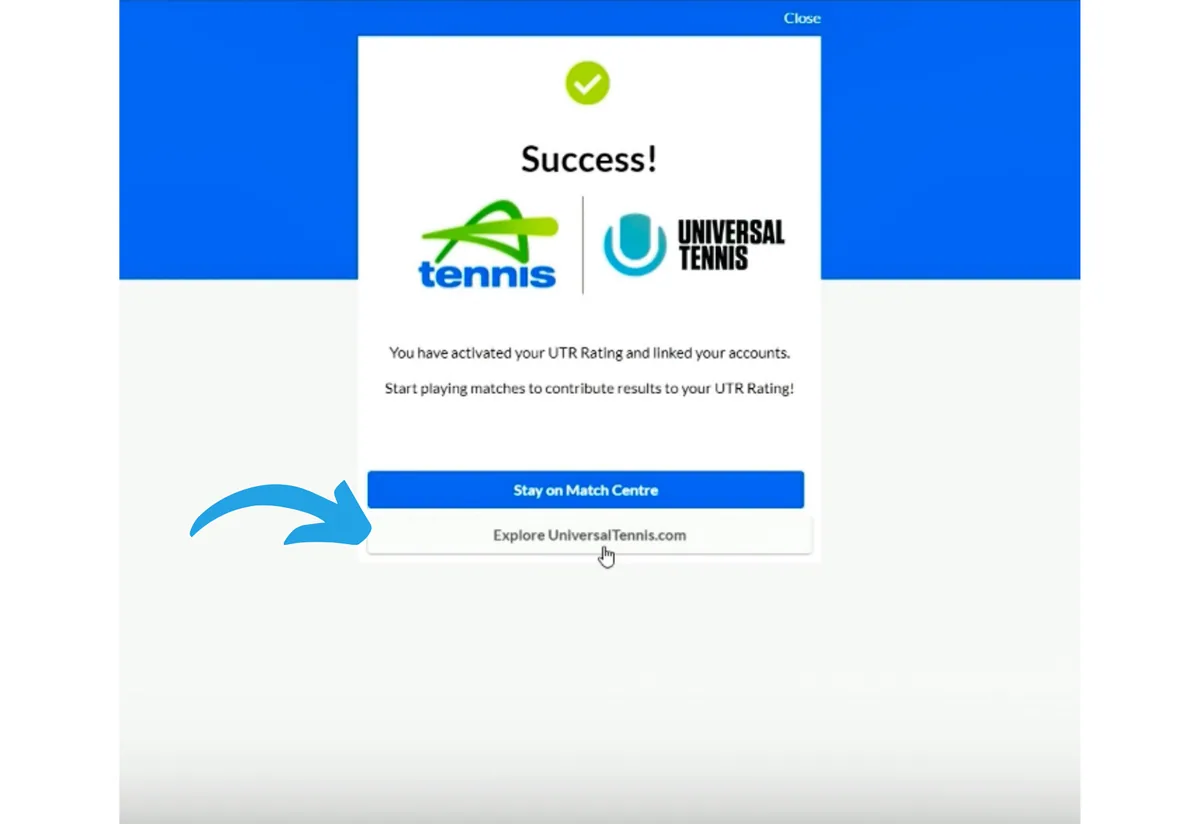
Link to the UTR website
You'll be taken to a page to link your account to the UTR website. Click the UniversalTennis.com button.
- 7
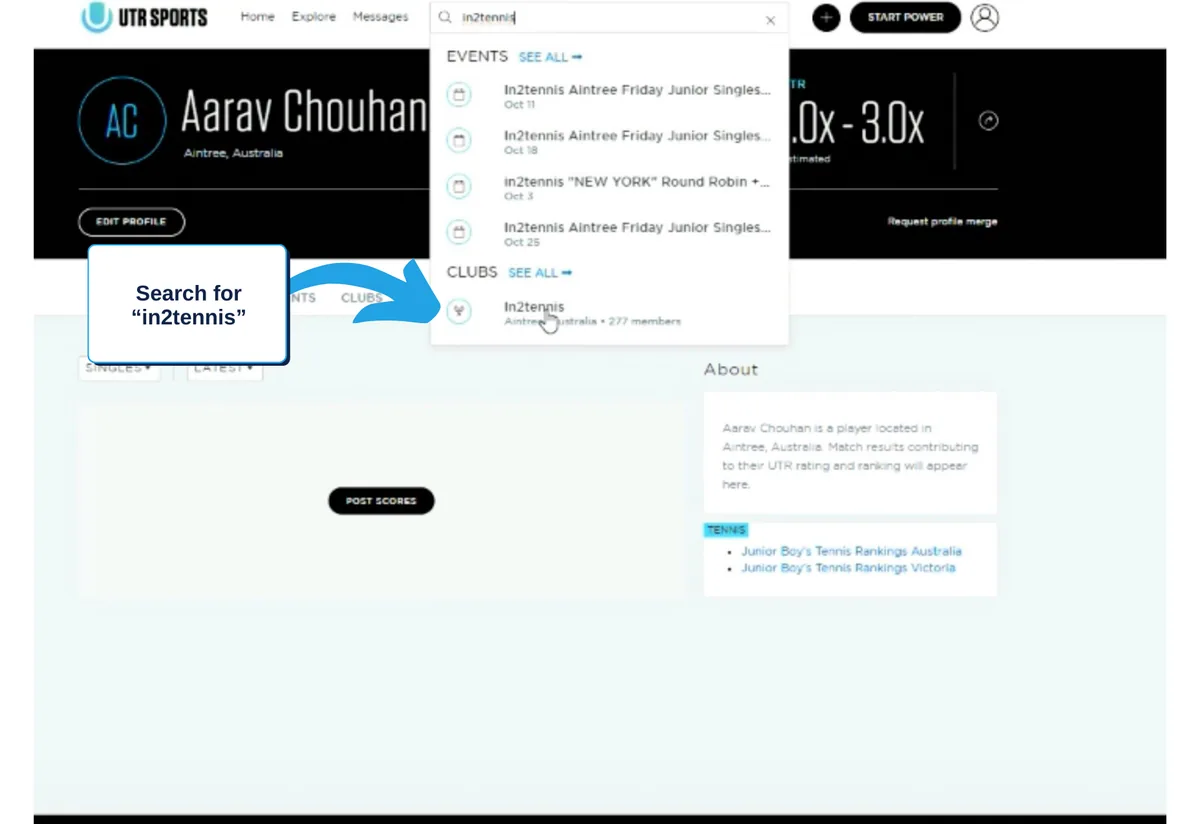
Search for in2tennis
On the UTR home page, type “in2tennis” into the search bar and select the result under Clubs.
- 8
Request to join
Click Request to Join under our club name. This keeps you updated on upcoming matches. You can now scroll down to browse available UTR events.

Ready to play?
Browse upcoming in2tennis UTR events and sign up for the next adult doubles matchplay.